트윅된 윈도우가 아닌 마이크로소프트에서 제공하는 공식 윈도우 11 ISO파일을 쉽게 얻으세요. 의외로 마이크로소프트 공식 홈페이지에서 순정 ISO 파일을 제공하고 있습니다. 아래의 본문글에 링크 와 함께 다운로드 받는 방법이 간략히 설명되어 있습니다.
MS공식 홈페이지 방문
아래의 링크를 클릭하면 마이크로소프트 공식 다운로드 페이지로 연결됩니다.
윈도우 11 마이크로소프트 다운로드 페이지 링크 – https://www.microsoft.com/ko-kr/software-download/windows11
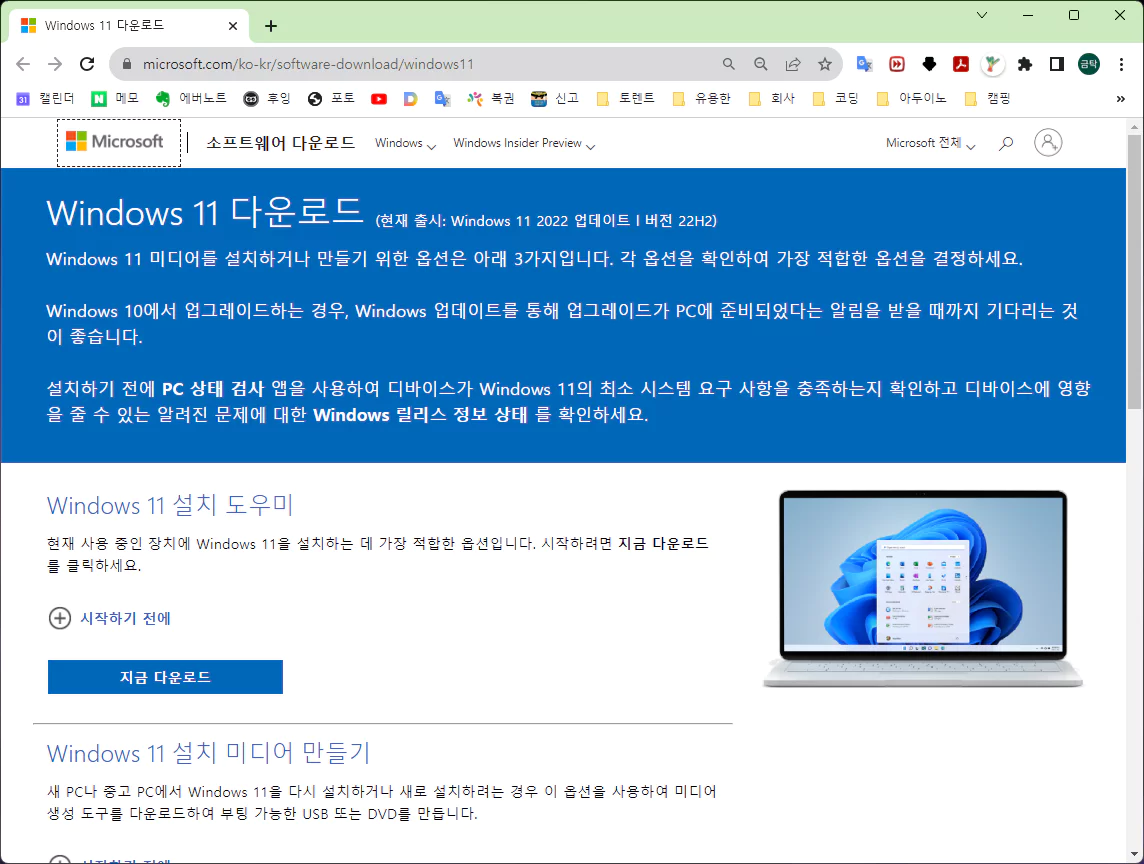
링크에 들어가시면 위와 같은 페이지가 열립니다. 밑에 다운로드 네모 박스가 자기를 클릭해 달라고 유혹하고 있지만 저거 아닙니다.
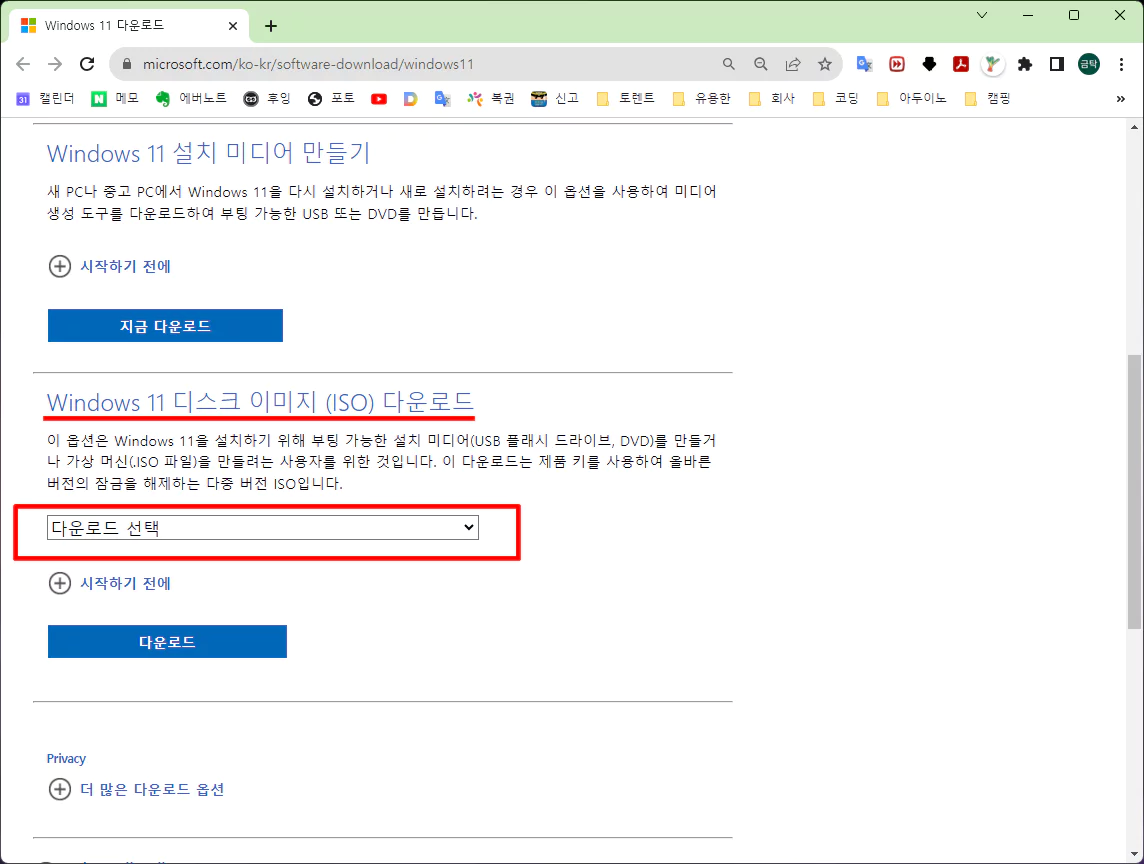
스크롤을 한페이지만 내리면 ISO 다운로드 항목이 있습니다. 여기 입니다.
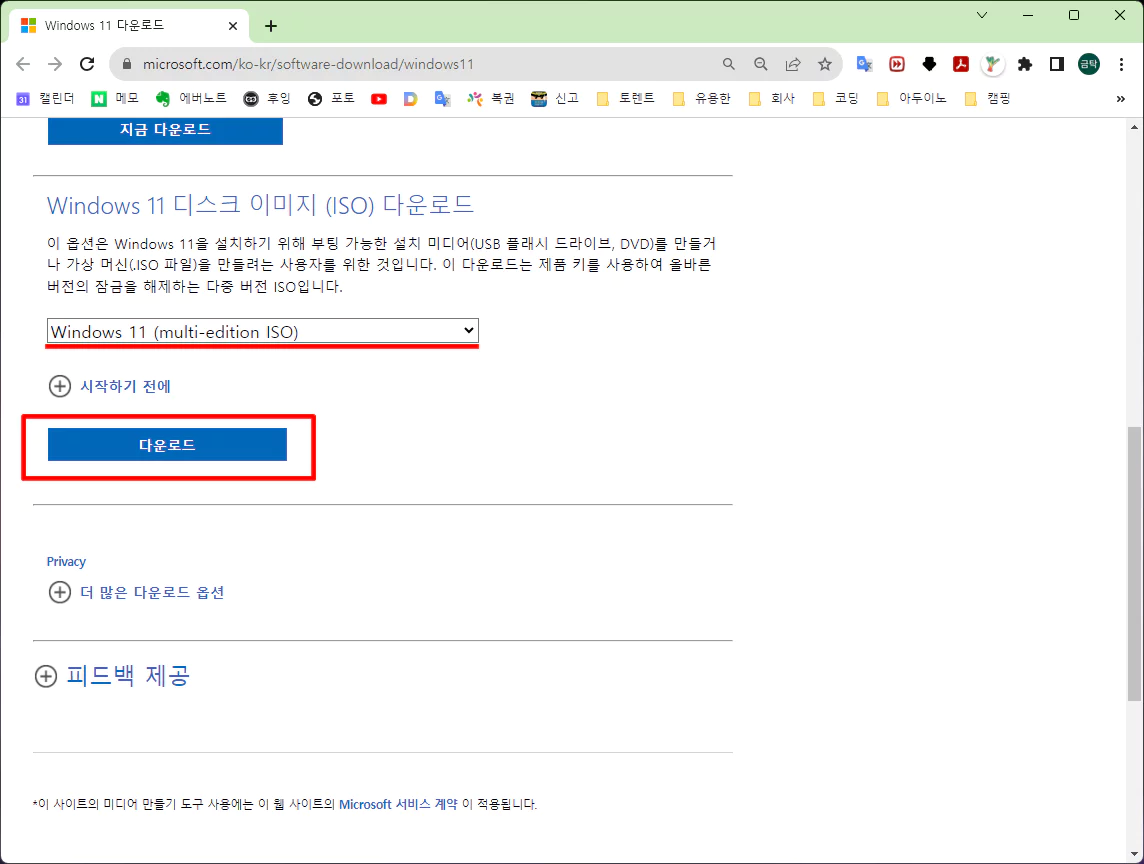
탭메뉴에서 윈도우 11 선택하고 다운로드를 클릭합니다.
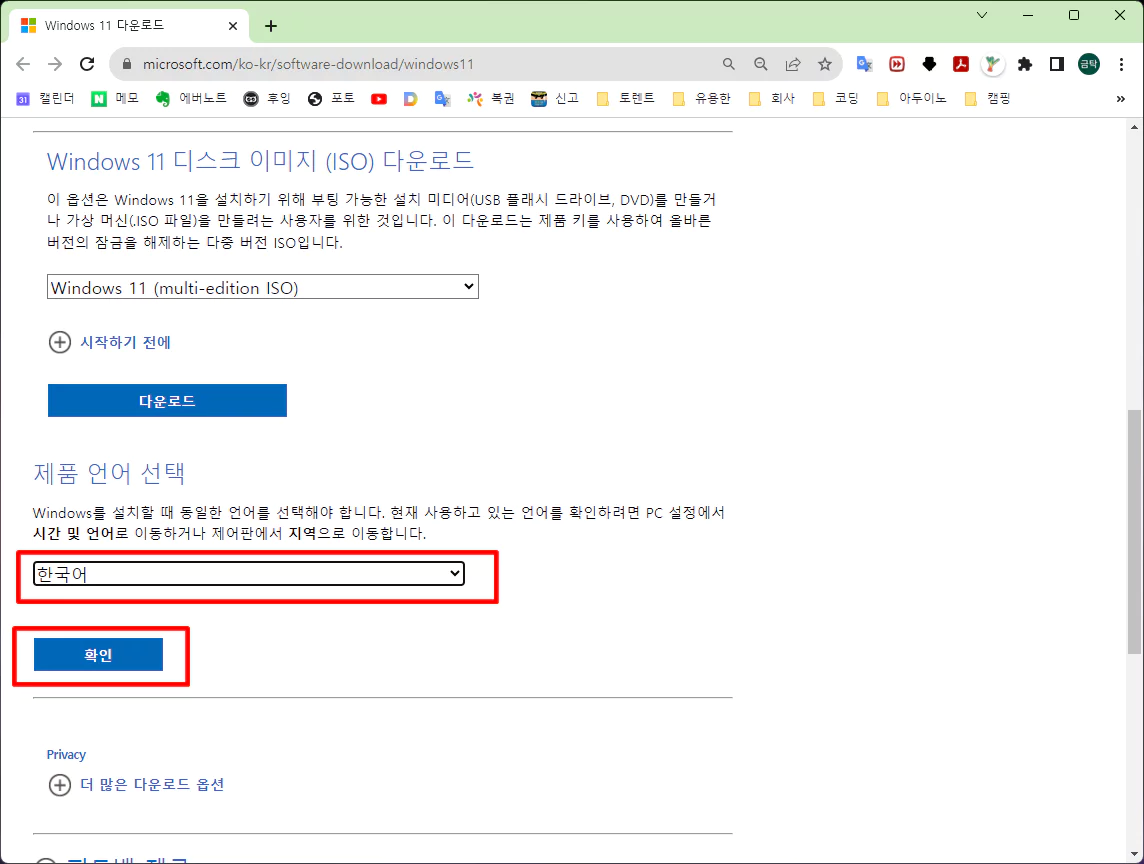
클릭하면 바로 다운로드 될것 처럼 그러지만 언어 선택 창이 하나 생깁니다. “한국어”를 선택하고 확인을 클릭합니다.
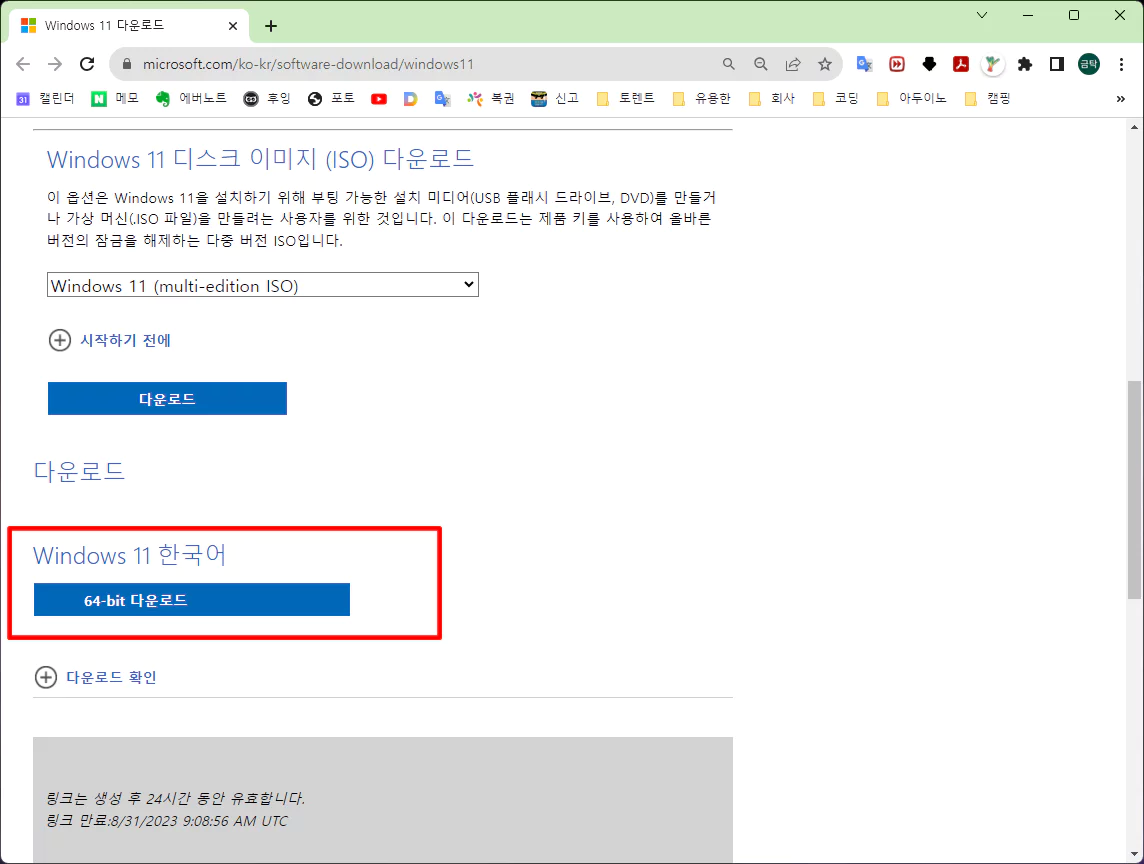
언어를 선택하면 비로소 다운로드 박스가 생성됩니다. “Windows 11 한국어 64bit 다운로드”를 클릭하세요.
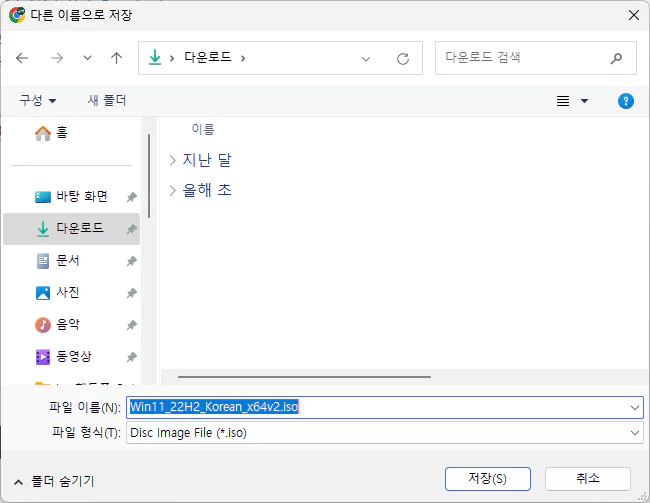
저장 누르시고 완료되길 기다리세요.
USB에 윈도우 11 설치가 가능한 부팅 USB만드는 방법은 아래의 포스팅을 참고 해 주세요.
윈도우 11 설치 USB 간편하게 만들기 (Ventoy)
I agree that small businesses benefit most when they focus on a few clear priorities instead of trying to be everywhere at once. Tracking which products, services, or marketing efforts actually bring repeat customers can make limited time and budget go much further.
The part about the download button being a decoy and needing to scroll down to find the actual ISO option is the detail most guides skip, so that’s worth keeping. One practical addition: after you pick the language and confirm, the page sometimes offers only the Media Creation Tool rather than a direct ISO, so before clicking download, check the dropdown under the download section and switch it to the ISO option if it’s available. Also verify the file’s SHA-256 hash against the value published on the official page before writing it to a USB.
The part about scrolling down past the download box to find the ISO option matches what I ran into, since the page initially pushes the media creation tool instead. One practical tweak: before downloading, check the ISO file size against the figure Microsoft lists on that page and verify the SHA-256 hash after it finishes, since large downloads can silently corrupt. Also confirm your USB stick is at least 8GB and formatted before writing the image, otherwise the process fails partway.
Official Windows 11 installation guidance from Microsoft is clear and reassuring. It guides users through safe download, verification of genuine software, and a smooth setup flow. The step by step instructions, system checks, and security emphasis help even first time installers gain confidence while protecting devices and data. A reliable resource that reflects commitment to user safety and quality.